Native for Mac, iPad, iPhone and Watch
Do the next
thing.
A todo app for people who get overwhelmed by todo apps. Your list gets scheduled onto your actual day, and jaydo shows you one thing at a time.
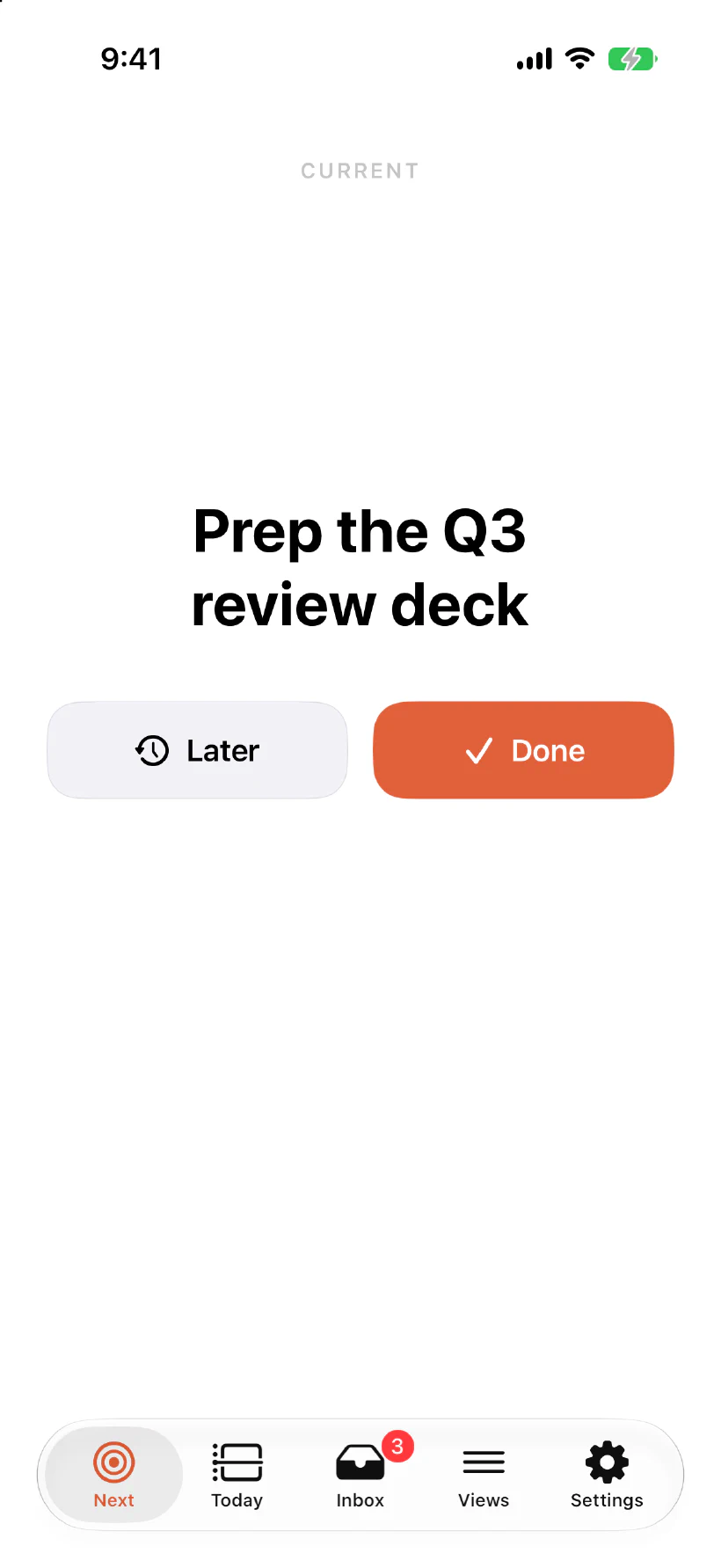
The Next screen. The whole interface, on a Thursday afternoon.
The list was never the problem
A long list does not help you work. It asks you, over and over, to decide what to do next, until the deciding wears you down.
Adding one is a chore
Tag it, give it a due date, put it in a list, administer it. The app asks for all that before it will help you.
Dozens and dozens of items
The list grows faster than you finish it, and what it produces is not progress. It is anxiety about delivering.
So you go and find another app
A new one will fix what the last one got wrong. You install it, start adding tasks, and feel briefly like the problem is solved.
A Thursday in jaydo
This is a full day.
Two meetings, four tasks, and nothing else asking for your attention. The list is longer than this. The day is not.
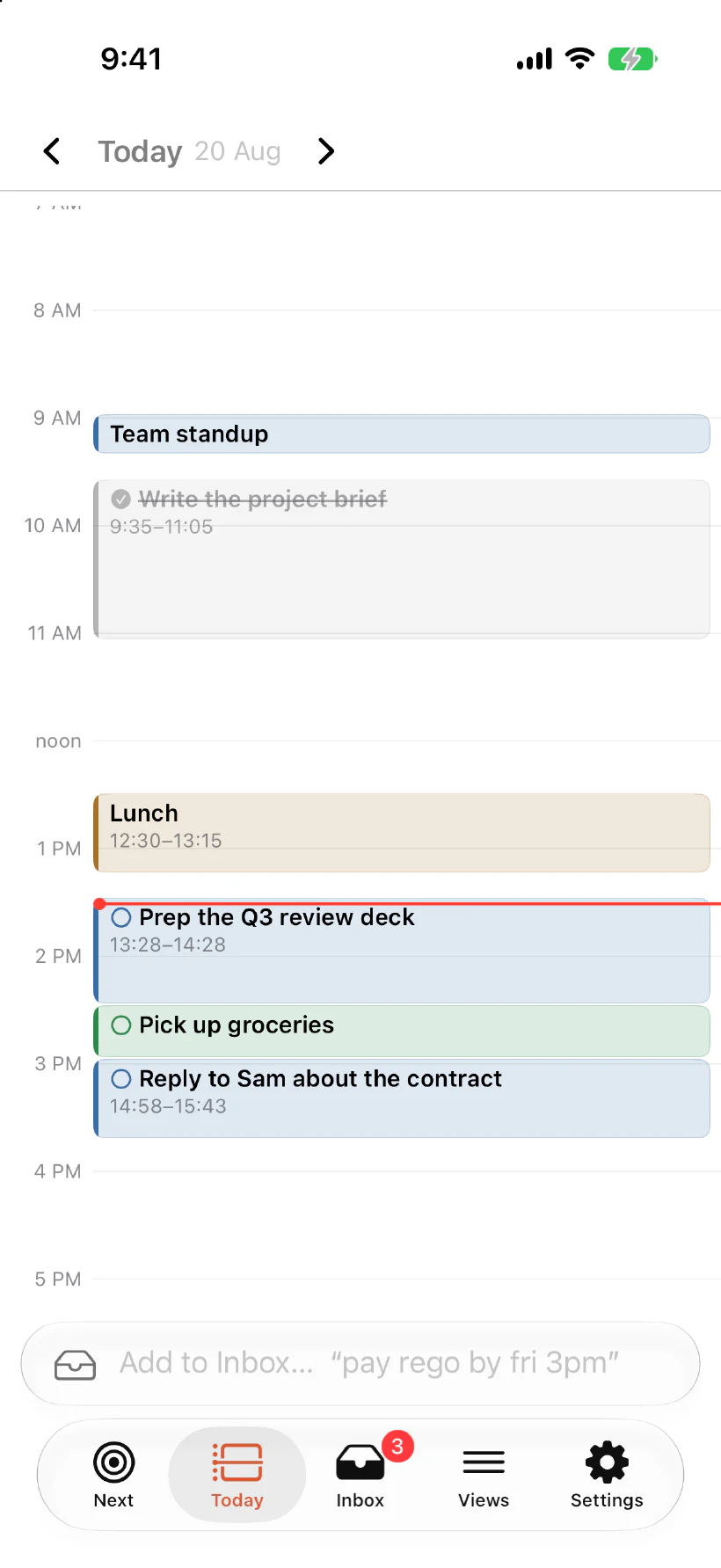
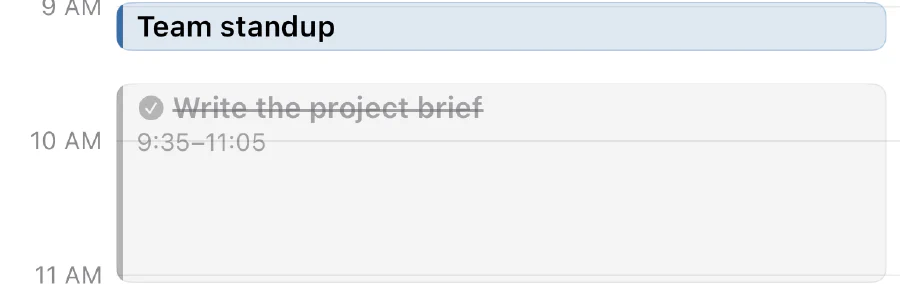
The morning, already done
Finished work stays on the day, struck through, so you can see where the time went.
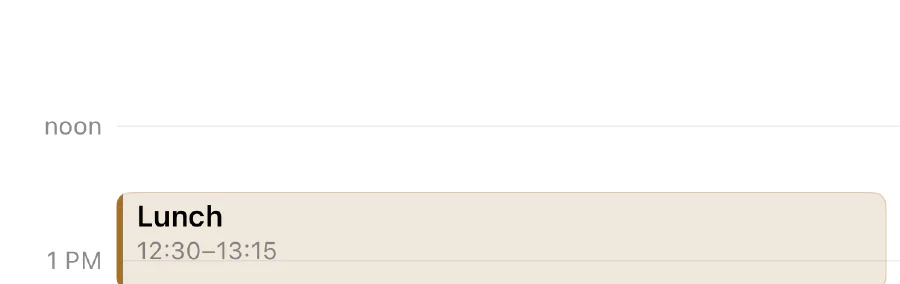
An hour and a half of nothing
jaydo will not fill a gap just because it is there. Free time stays free.
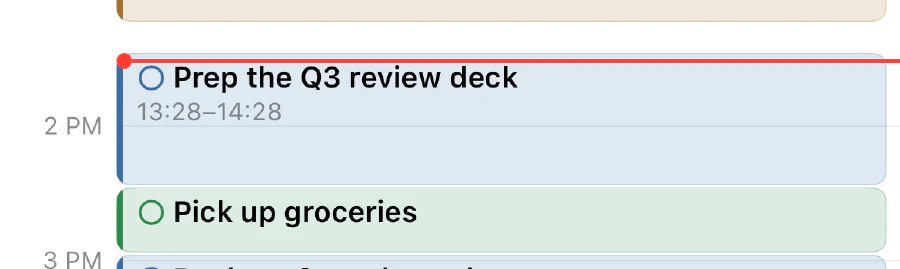
One red line
Where you actually are. The block under it is the only thing you have to think about.
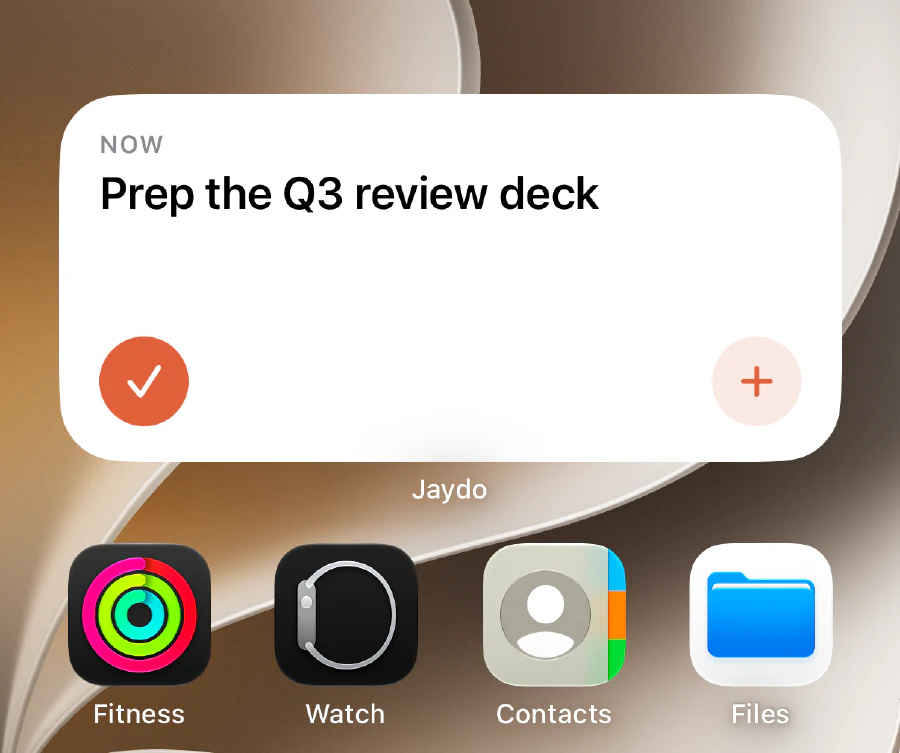
Or never open it at all
The widget is the whole app most days: what you are on, a tick to finish it, a plus to add the next thing.
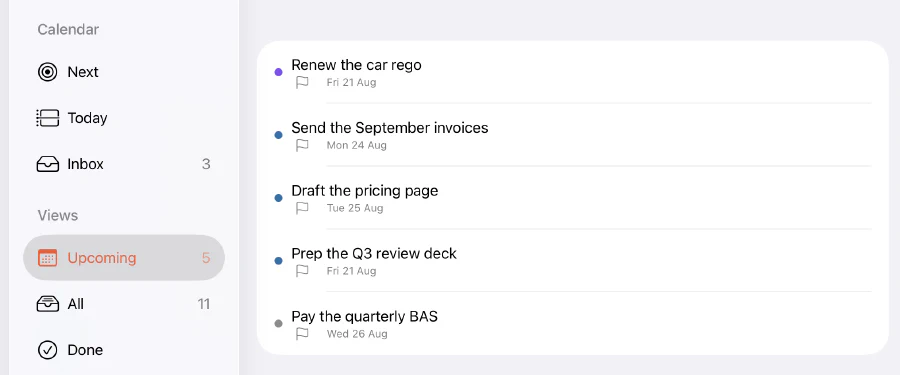
The rest of the week, waiting its turn
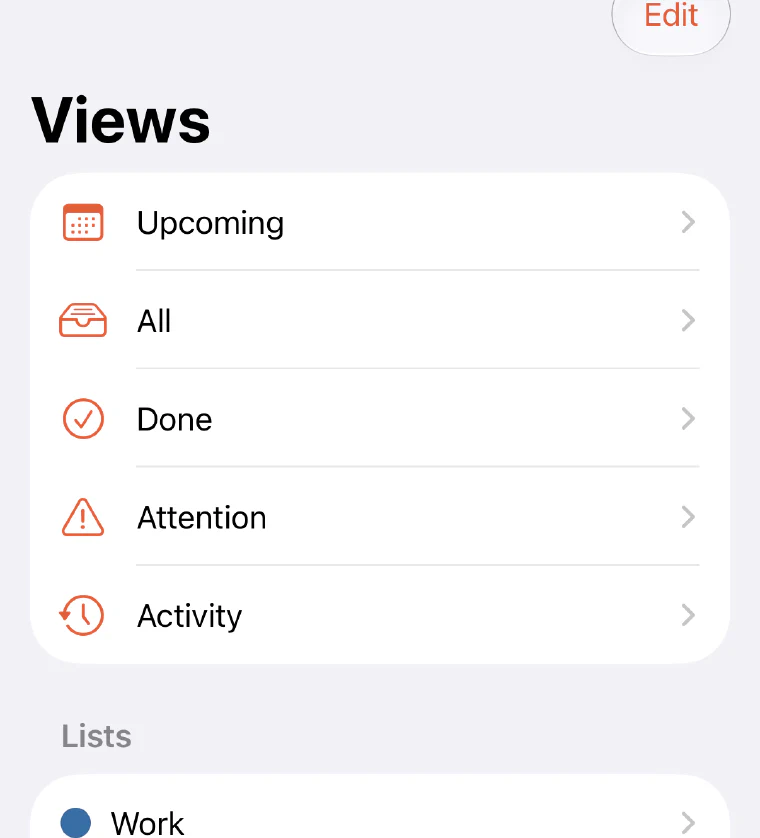
Everything with a deadline in the next seven days, filed by when it is due. None of it is on today, and none of it is asking to be.
Getting it out of your head
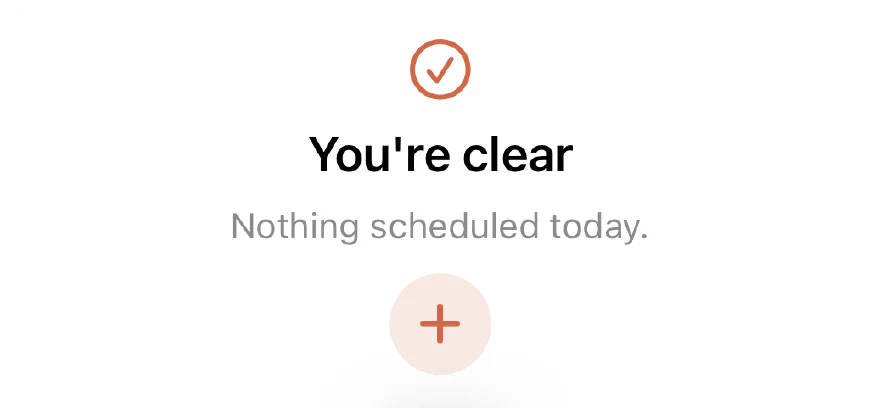
Type it. Forget it.
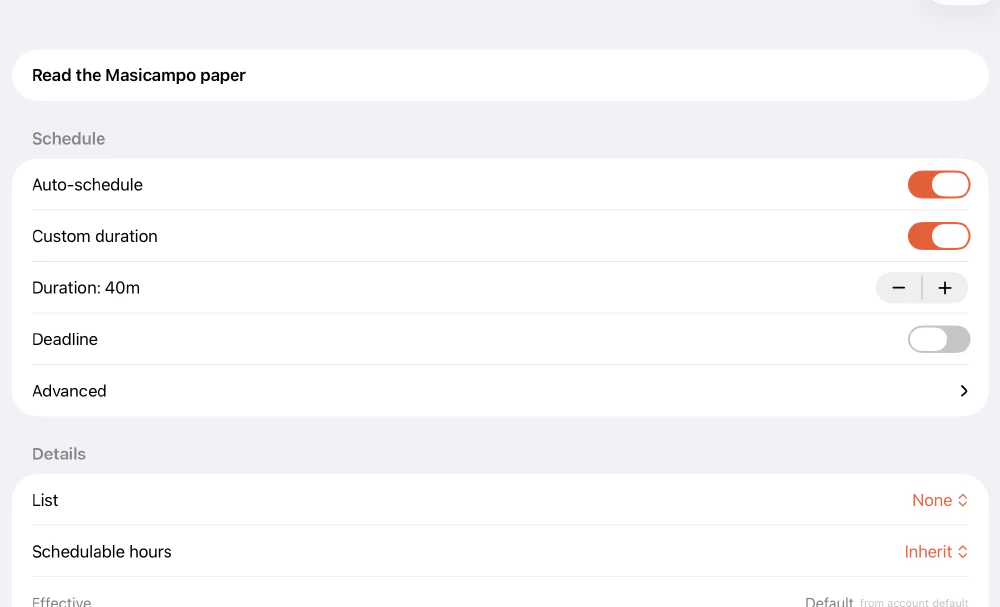
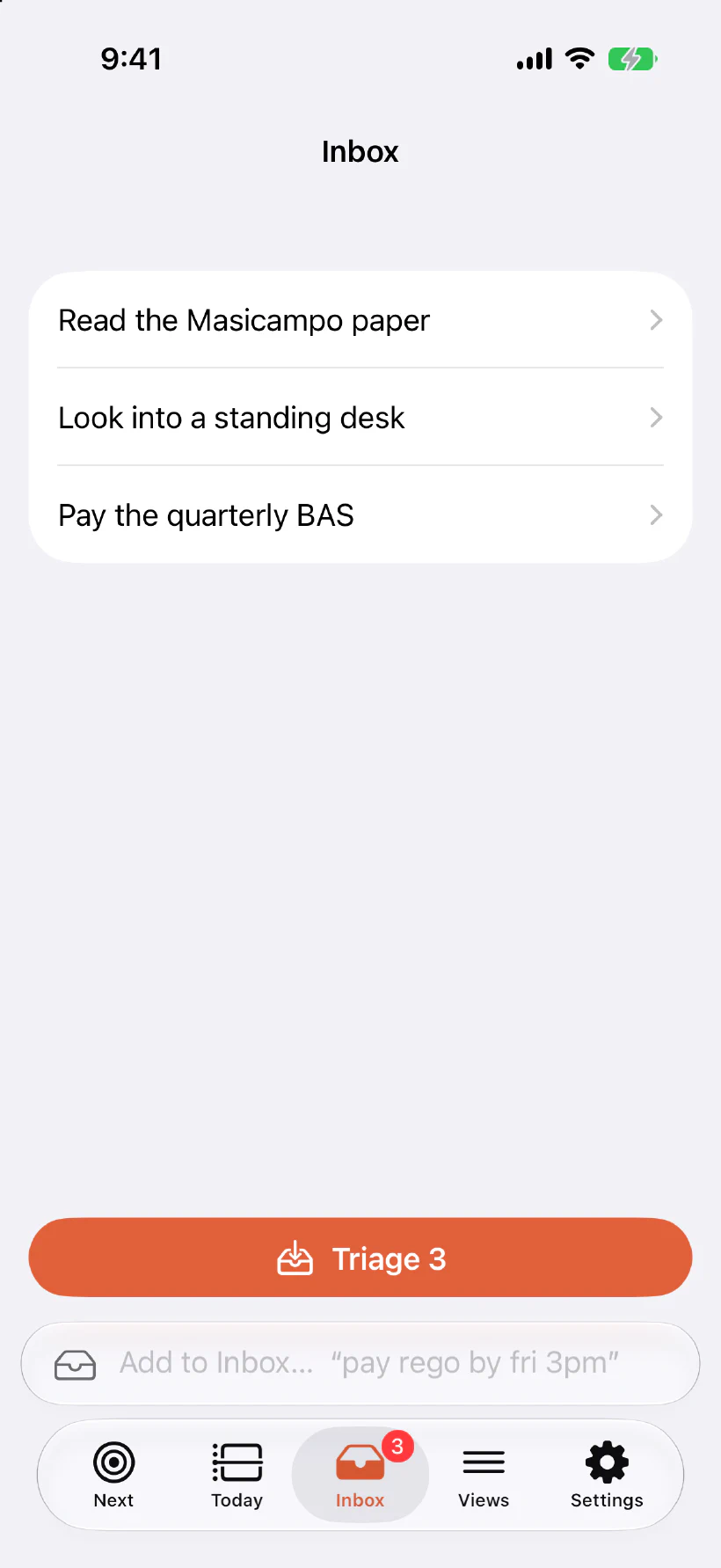
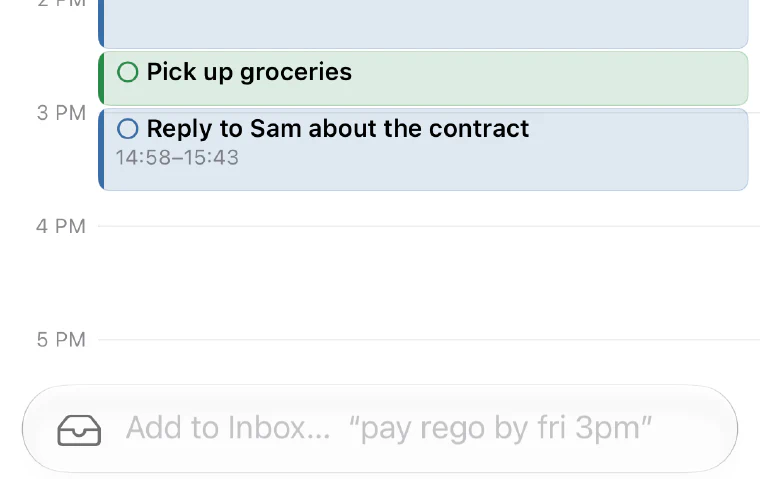
Plain language, no fields. "pay rego by fri 3pm" lands in the Inbox with its deadline already read. It waits there until you triage it, and never once appears on your day uninvited.

A day in jaydo
Four moves, and the day runs itself.
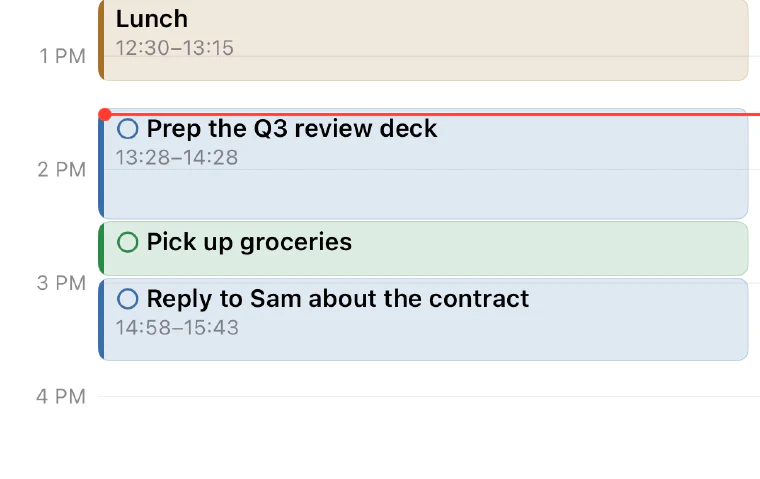
 9:02
9:02Capture
Keyboard, share sheet, wrist, or a word to Claude. No fields, no decisions.
 9:05
9:05Schedule
Each task gets a real slot, around the meetings you already have.
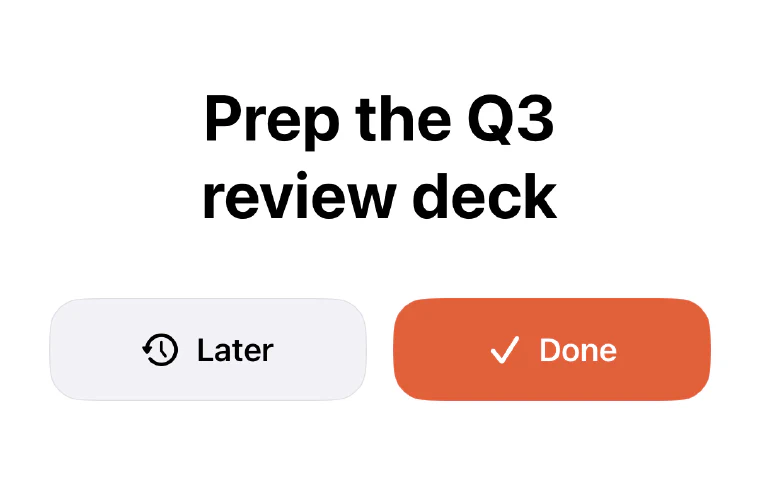 9:40
9:40Do the next thing
One task, and the time you have for it. Everything else steps back.
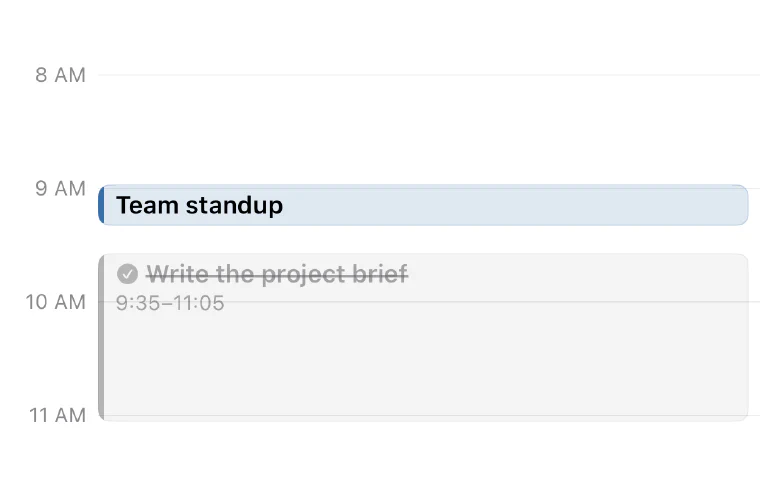 11:25
11:25It self-repairs
Run long and the day reflows. You never open jaydo to a wall of red.
How the autoscheduling works
You add the task. jaydo finds the time.
It reads each task's length, deadline and any "after" links, then drops it into the open gaps in your day, around whatever is already fixed.
What you add
- 1 Write the project brief
- 2 Reply to Sam
- 3 Pick up groceries
- 4 Send invoices
Weighed against
- Fixed events
- Work hours
- Deadlines
- Durations
- Dependencies
Fall behind, and it quietly re-plans.
You spend 25 minutes more than planned on the brief. Reply to Sam no longer fits in the 35 minutes left before lunch, so jaydo does not squeeze it: it moves the task to the next slot that actually fits, and tells you what moved.
- 11:25The brief runs 25 minutes over.
- 35 minAll that is left before lunch, and the task needs 45.
- 12:45Reply to Sam lands in the first slot that fits.
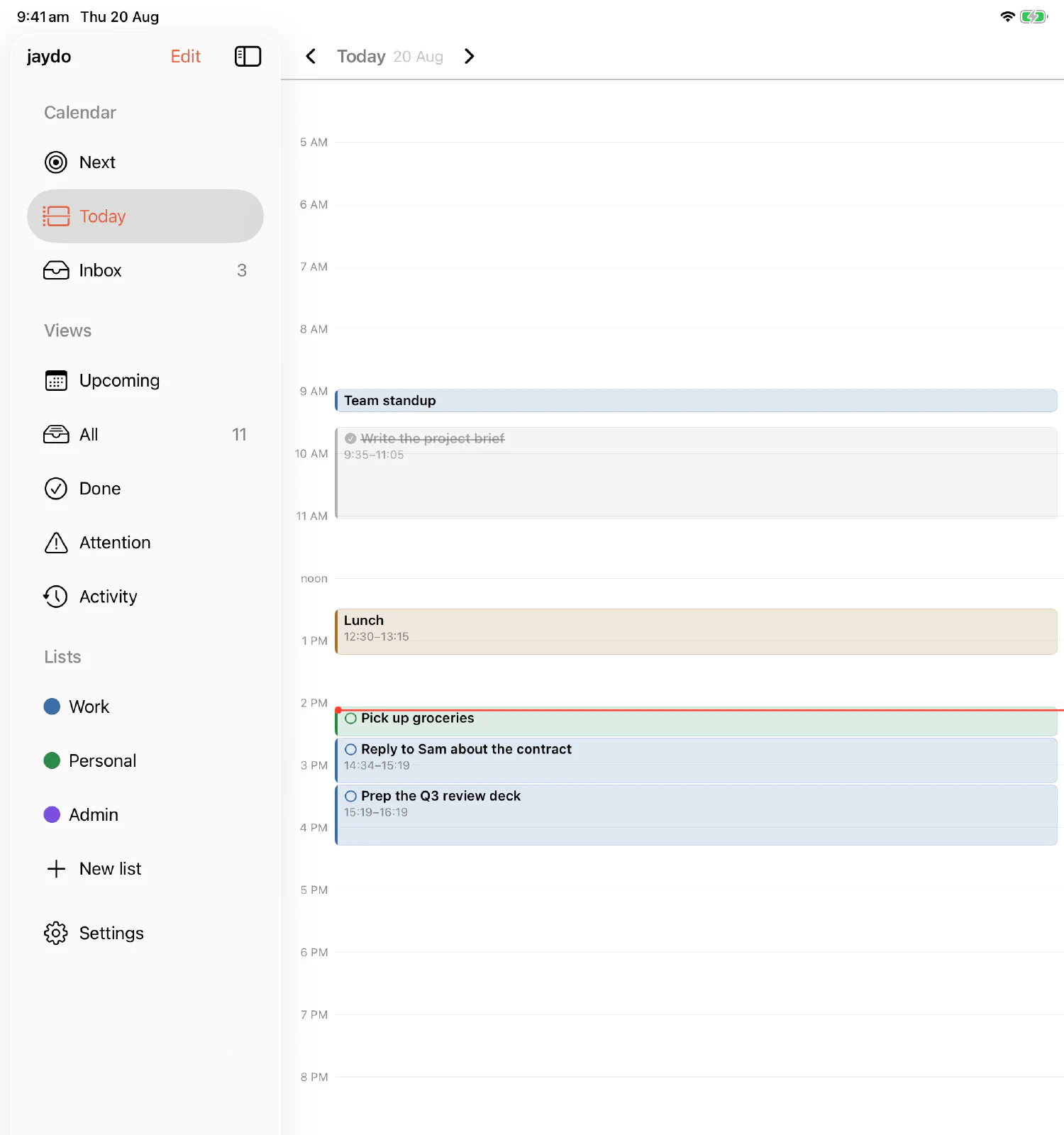
The full picture, when you want it
One glance to act. The whole shape to plan.
Same day, more room. The sidebar holds the whole structure, every view and every list, and the timeline holds the day itself: what is done, what is fixed, what is next, and how much of the evening you are getting back.
Why one next thing works
Relief comes from making the plan, not finishing the task.
This is not a productivity trick. It is one of the sturdier findings on why open tasks weigh on us, and it maps straight onto how jaydo works.
Consider it done
Committing an unfinished task to a specific plan of when and where you will do it removed its intrusive pull, before it was done. A calendar slot is that plan.
Masicampo & Baumeister, 2011 · J. Personality & Social Psychology
45% → 5%
Trusting intentions to a reliable external system, instead of memory, cut forgetting from roughly 45% to about 5%. jaydo is built to be that trusted place.
Gilbert et al., 2020 / 2022
6 beats 24
Shown 24 options instead of 6, people were about ten times less likely to choose at all. One well-placed next action sits at the calm end of that curve.
Iyengar & Lepper, 2000
We keep the copy honest, like the research does: choice-overload effects depend heavily on context, and the forgetting figures come from lab tasks rather than from anyone's real week. The load-bearing idea, that a specific plan frees the mind before the task is done, is the part that holds up best.
Built to belong on your devices
Everything a native Apple app should be.
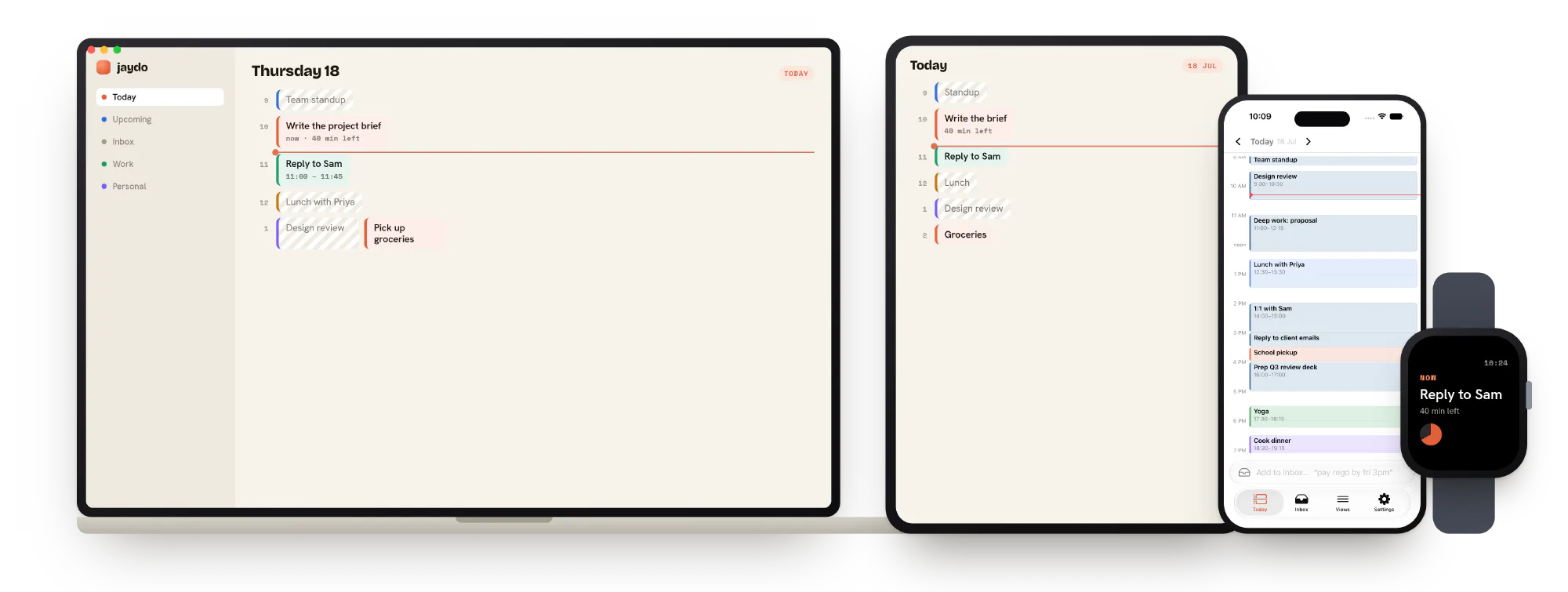
Truly native
Real Mac, iPad, iPhone and Watch apps in current Apple materials. Not a website in a wrapper.
Fast and offline
Every device holds a full local copy. Works with no signal, never waits on a server.
Wrist and menu bar
Now and next on your Watch. Current task and time left in your Mac menu bar.
Notifications that act
Done, Later and Snooze from the notification. Later feeds the scheduler and the day reflows.
Agent-ready
A full MCP interface lets Claude and other agents capture, schedule and complete tasks.
Invisible guardrails
Set the rules once per list. Personal work waits for Saturday, work tasks get the weekday. You never re-decide it.
Nothing gets lost
Finished tasks are kept forever and searchable. Sync fails loudly, never silently.
Answers
Questions people ask
What is jaydo?
jaydo is a calm, calendar-first todo app for Mac, iPad, iPhone and Apple Watch. Instead of showing you a long list, it auto-schedules your tasks into your day around your real calendar and surfaces the single next best thing to do right now.
Is jaydo a good FlowSavvy alternative?
Yes. jaydo is built in the spirit of FlowSavvy's time-blocking auto-scheduler, but as a truly native Apple app that also works fully offline and can be driven by AI assistants. Like FlowSavvy it lays tasks onto your calendar as time blocks and reflows them as your day slips; unlike FlowSavvy it is native rather than web-based.
What makes jaydo different from other todo apps like Things, Todoist or Sunsama?
Three things. It is calendar-first: every task gets a real slot in your day, not a spot in an endless list. It surfaces one next action at a time to reduce the anxiety of choosing. And it is native to every Apple device, works offline, and exposes an MCP interface so agents like Claude can capture and schedule tasks for you.
Which devices and platforms does jaydo support?
jaydo is a native app for macOS, iOS, iPadOS and watchOS: Mac, iPad, iPhone and Apple Watch. It is not a web app in a wrapper.
Does jaydo work offline?
Yes. Every device keeps a full local copy of your tasks and schedule, so jaydo works completely offline and never waits on a server. Changes sync when you reconnect, and sync failures are always shown, never hidden.
Can Claude or other AI assistants use jaydo?
Yes. jaydo exposes a full MCP (Model Context Protocol) interface, so AI assistants such as Claude can capture, schedule, complete and query your tasks with the same abilities you have in the app.
Is there a todo app that reduces anxiety?
That is exactly what jaydo is designed for. Research on plan-making shows that committing a task to a specific when-and-where plan frees the mind even before the task is done, and that showing fewer choices at once reduces decision stress. jaydo puts both to work by scheduling tasks onto your calendar and surfacing one next action.
How much does jaydo cost and when is it available?
jaydo is in active development and not yet released. Join the waitlist at jaydo.app to be told when it is ready. Pricing has not been announced.
Why I built it
All I really wanted to know was: what is the very next thing I could do to feel like I was making progress?
I spent a long time looking for the right todo app. The pattern was always the same. Find a new one, assume it would fix what the last one got wrong, install it, start adding tasks, and feel like the problem was solved.
It never was, because the problem was never the app. It was that managing the tasks got overwhelming. Adding something meant tagging it, dating it, filing it. And the list grew to dozens and dozens of items, which only turned into anxiety about delivering them.
So jaydo maps tasks around the calendar commitments I already have, with invisible guardrails. Something personal can wait until Saturday. Something for work gets prioritised and becomes the next thing I do. The alignment of blocks of time, the gaps between them, and the meetings already in my calendar is what led me here.
Jay I build jaydo. It is the todo app I wanted and could not find.

End of the day
A quieter way to get through it.
jaydo is in active development. Join the waitlist and we will tell you when it is ready to live in.